
Find a chapter
Campaign slides and collection chapters separate festive wear, tailoring, everyday pieces and outerwear.
Fashion / Fashion store demo
An editorial readymade clothing store that pairs festive and everyday collections with a sample catalogue, detailed product pages and a WhatsApp enquiry bag.
Visit live demo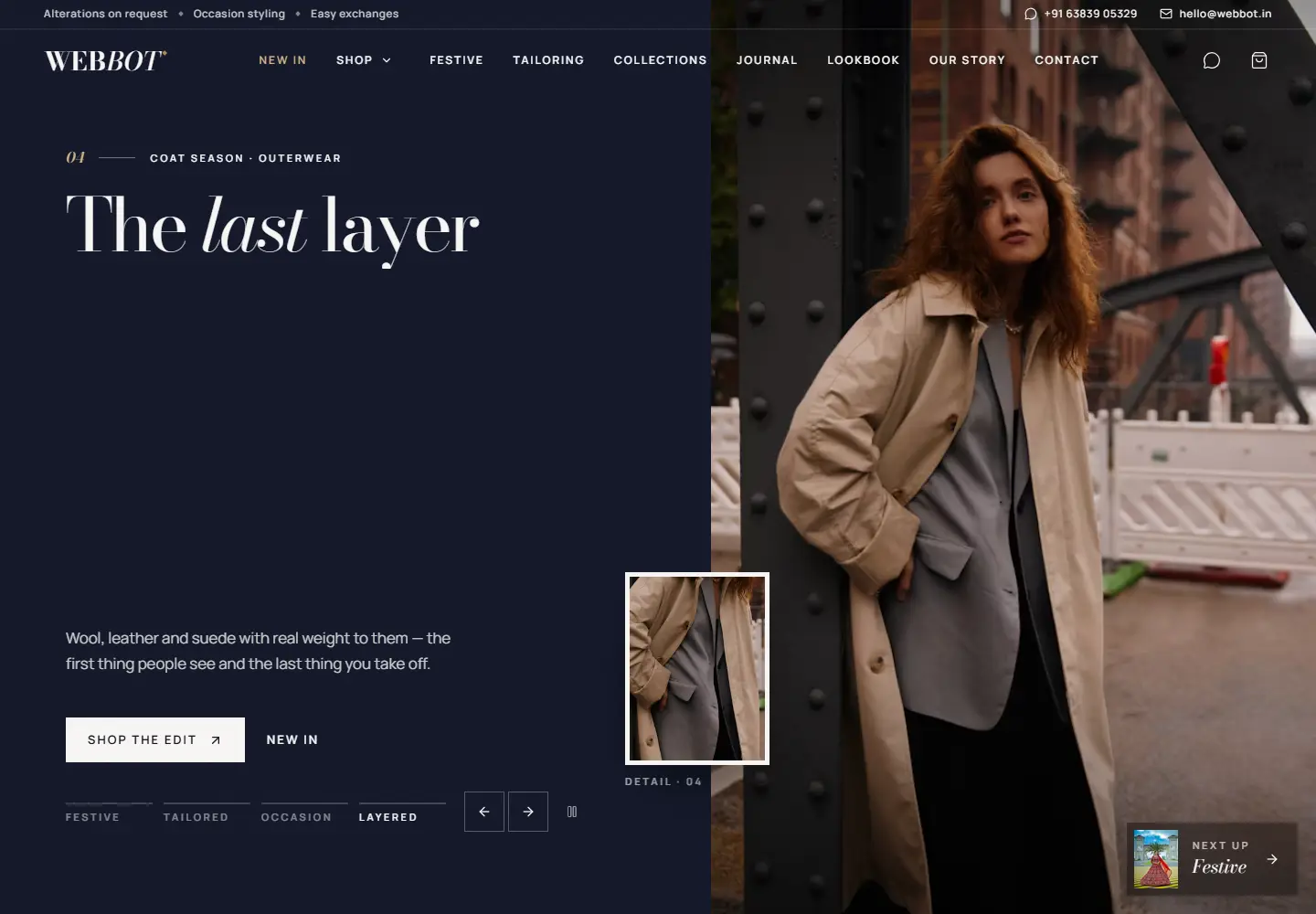
The concept
The Webbot Textile Store is a demonstration of an editorial storefront for a readymade clothing brand. Visitors move from campaign chapters and a scroll-led silk showcase into a filterable catalogue of 42 sample pieces, then gather favourites in an enquiry bag that becomes a single WhatsApp message.
Shoppers browsing festive and everyday wear, comparing sizes and colours, and preparing an enquiry for the store.
Give festive wear the drama it deserves while keeping sizes, colours and the next step simple for shoppers comparing several pieces.
Campaign chapters and a scroll-led atelier introduce the collections. The catalogue filters by chapter and size, product pages carry colour, size and fabric detail, and the enquiry bag sends every selected piece to WhatsApp in one message.
How visitors use it
A clothing store has to sell a mood and answer practical questions about size, colour and fabric. The experience gives each its own moment.
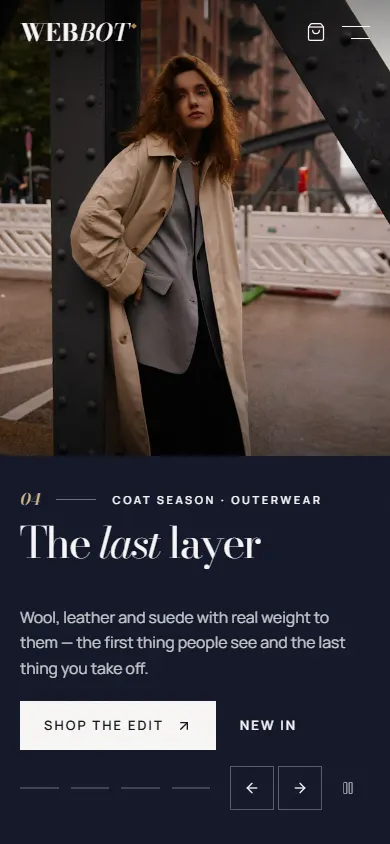
Campaign slides and collection chapters separate festive wear, tailoring, everyday pieces and outerwear.
Chapter and size filters, sorting and quick view help a shopper compare pieces without losing their place.
Chosen pieces, sizes and colours travel to WhatsApp as one message, ready for the store to reply.
Designed for everyday decisions
The main features you can try in the live demo.
Ethnic and festive wear, formal tailoring, everyday casual, outerwear and occasion dressing each have their own campaign chapter and catalogue view.
The catalogue filters by chapter and size, sorts by featured, newest or price, and opens a quick view without leaving the page.
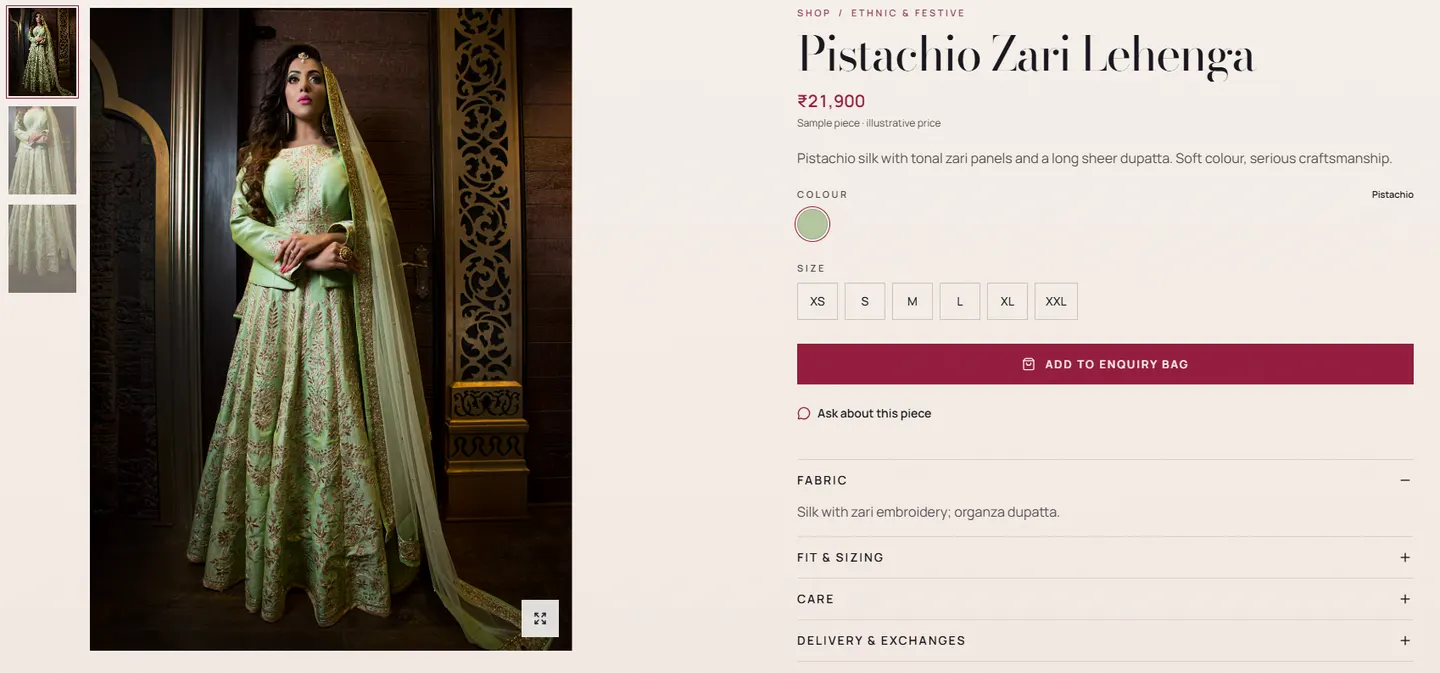
Product pages pair a detail gallery and full-screen zoom with colour, size, fabric, fit, care and delivery information.
The enquiry bag keeps chosen pieces, sizes and colours in the browser and sends them to WhatsApp as one message.
A scroll-led silk atelier, a lookbook and a style journal give the collections an editorial voice.
A closer look
1 / 3 — Desktop homepage
Desktop and mobile captures from the demo. Products, prices, photography and testimonials are sample content, and enquiries do not confirm an order.